A Luigi cart P3 code on the screen is, in most cases, a protection message: the device has detected a short or a coil reading it does not trust, a battery that is too low, or heat that is too high, and it has stopped firing to protect itself. Let it rest, charge it, and try one soft pull, and the code clears on its own more often than not.
We want to be straight with you about one thing up front. Screen codes are set by whoever designs the chip in a given device, and they can differ by device generation. We have not seen a single public code table that covers every Luigi model, so this guide explains what such codes commonly mean on draw activated disposables rather than inventing a chart.
With that caveat in place, the Luigi cart P3 steps below from the Luigi Carts USA team will sort out the large majority of cases.
What a Luigi cart P3 message most likely means
On the draw activated disposables that carry small displays, alphanumeric codes almost always fall into a few families. A Luigi cart P3 readout is likely one member of those families rather than something exotic.
- Short circuit or coil protection. The chip reads an abnormal resistance at the heating element and refuses to send power.
- Low battery cutoff. Voltage has dropped below the level where the device will fire safely.
- Overheat protection. Internal temperature is too high, from chain puffing, sun or charging in a hot spot.
- Long draw timeout. You inhaled past the device’s continuous fire limit.
Which one your Luigi cart P3 means depends on the generation. That is why the fix routine further down addresses all four at once, so you do not need to know the exact meaning to clear it.
Why we will not hand you a made up code chart
Search around and you will find confident lists that pair every letter and number with a specific fault. Some may be accurate for one device. Applied to a different generation, they are guesswork dressed up as fact.
We sell these products and write about them, and we would rather tell you what we know than repeat a chart we cannot verify. What we know is that a Luigi cart P3 sits inside the protection behaviors every reputable chip has, and that those behaviors respond to the same handful of fixes.
If your device came with an insert or printed card, check it for a Luigi cart P3 entry. A code list printed for your exact model beats anything written for devices in general, including this page.
Error code or power setting? Check this first
Before assuming a Luigi cart P3 is a fault, look at when the characters appear. On some devices from various makers, a letter followed by a number marks a mode, such as a power or preheat level, rather than an error. Those readouts show up while the device is working normally and vapor is coming through.
The distinction is easy to test. If the device still produces vapor while the Luigi cart P3 readout is on screen, it is probably reporting a status, not a problem. If the code appears and the device refuses to fire, it is a protection stop.
Most draw activated 2g disposables have no adjustable modes at all, so on those, a code that stops vapor is almost certainly a protective cutoff.

The four protection families in plain English
Short circuit and coil protection
The chip measures the heating element before firing. If the reading is far outside the expected range, it blocks power. Common triggers include a hard drop, oil reaching a contact, or condensation after the device moved from cold air into a warm room.
Low battery
Lithium cells dislike being drained flat, so devices stop drawing current while some charge remains. The screen still lights, which tricks people into thinking a Luigi cart P3 must be a hardware fault when it is really a charging prompt.
Overheating
Heat builds inside the shell during back to back pulls, while charging, or in a parked car. The device pauses until it cools, and a Luigi cart P3 caused by heat fades once the shell is back at room temperature.
Draw timeout
Continuous inhale past several seconds trips a timer, the least worrying cause of a Luigi cart P3. The timer exists to protect the coil from scorching the oil.
How to clear a Luigi cart P3 code step by step
Work through these in order. Testing between every step of a Luigi cart P3 reset just reheats the device, so only test where the list says to. Skipping ahead usually costs more time than it saves.
- Stop pulling. Repeated attempts while the code is showing only keep the device hot. Set it down.
- Rest it upright for ten minutes on a cool, dry surface, out of direct sun.
- Inspect the port. Look for lint, grit or oil in the USB C opening and clear it with a dry swab.
- Charge for thirty minutes on a plain phone adapter or laptop port, not a high wattage fast charger.
- Unplug and wait a minute. Let the circuit settle.
- Test gently. Two tiny sips of air, then one soft pull of about three seconds. Check the screen.
- Repeat once if the code returns, then move on to the give up section.
In the cases buyers have described to us, a Luigi cart P3 usually disappears at step five or six. If it does not, the cause is more likely physical than electronic.
When the code appears tells you a lot
A Luigi cart P3 that pops up at different moments points to different causes, which is why timing matters more than the characters themselves.
If the Luigi cart P3 shows only when you inhale, think short or coil protection first, with low battery a close second. If it shows while the device is plugged in, the charger, cable or port is the likely culprit, so try a different cable before anything else.
If it shows while the device sits idle, take that seriously. A device that throws codes when nobody is touching it may have a struggling circuit, and the safety section below applies. Our guide to a Luigi cart blinking covers the equivalent signals on devices with a plain light instead of a screen.
Where the code shows up and what to try
Use this table as a shortcut. It reflects common behavior on draw activated disposables and is not a specification for any single model.
| When the code appears | Likely family | Try this first | If that fails |
|---|---|---|---|
| On the draw, after a drop | Short or coil protection | Rest upright, retry gently | Replace if it repeats for days |
| On the draw, device has not been charged in a while | Low battery | Charge for thirty minutes | Try a different cable |
| After several pulls in a row | Overheat | Cool at room temperature | Space pulls further apart |
| Midway through a long inhale | Draw timeout | Keep pulls to about three seconds | No fix needed |
| While charging | Charger or port issue | Swap cable and adapter | Clean the port |
| While idle | Circuit fault | Unplug, isolate safely | Stop using it |
If your Luigi cart P3 fits more than one row, start with the row nearest the top.
Drops, moisture and cold: the usual hidden triggers
When people tell us their screen started showing a Luigi cart P3 out of nowhere, a little questioning usually finds a trigger. The device fell off a nightstand. It rode home in a freezing car and was used straight away in a heated room. It sat in a pocket next to keys.
A drop can shift the contact between the battery and the heating element just enough for the chip to read a fault. Moisture from condensation can bridge a contact for a short while. Both often fix themselves after rest at stable room temperature.
That is why patience is the most underrated fix for a Luigi cart P3. An hour upright on a shelf can achieve what ten frantic pulls never will.
Generations, screens and choosing your next device
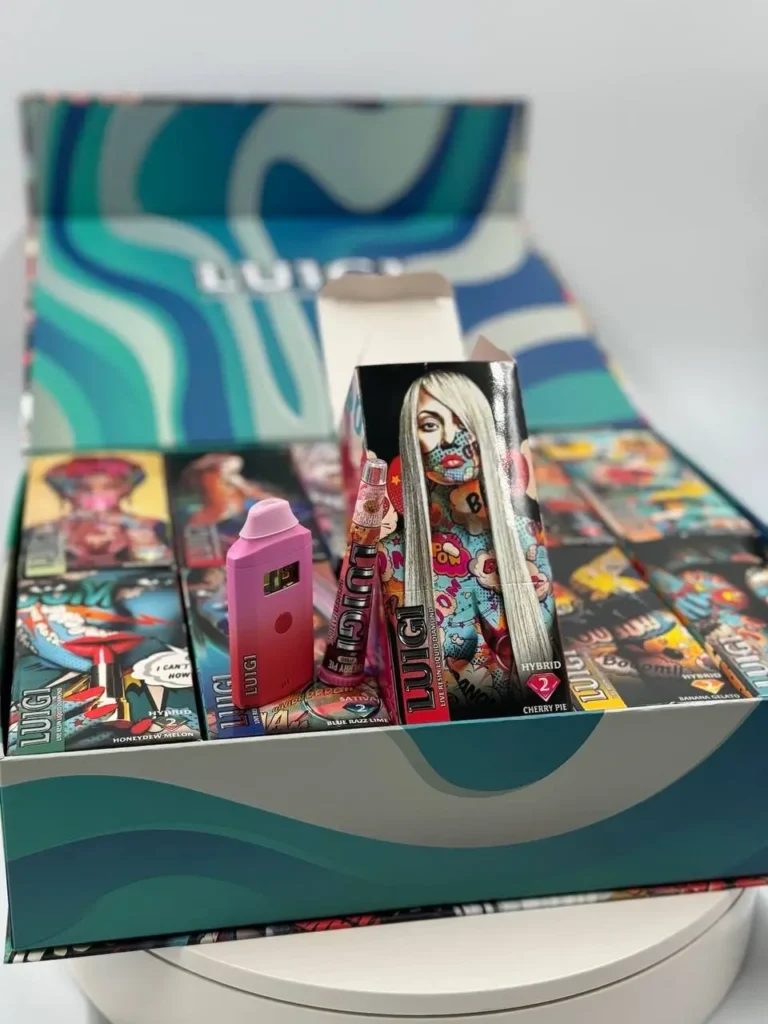
If a Luigi cart P3 has you thinking about a replacement, note that not every device in the range has a display, and features vary between generations, so check the product photos and description on each listing before you buy if a screen matters to you.
The classic 2g devices, such as the Luigi Banana Gelato 2g Disposable, are draw activated with ceramic heating and USB C charging. The Luigi V7 2g Cart is a newer generation with a larger tank. If you simply want any available flavor, the Luigi 2g Disposable listing is chosen from stock at fulfilment.
Combo boxes bring their own devices too; the Luigi Grape Champagne Series 2 Disposable pairs a 2g with a matching pre roll. See everything under Luigi 2g disposables and Luigi Series 2.
When a Luigi cart P3 will not clear
Give it two full rounds of the clearing routine across a day. If the code still returns on every pull with oil visible in the window, the damage is probably physical: a loose connection, a failed element or a tired cell. None of those can be repaired in a sealed disposable.
Some signs mean you should stop immediately, without a second round: the shell is bulging or cracked, the device is warm while idle, there is oil coming from the port, or you smell something chemical. Do not keep testing a device showing those.
If you have also lost vapor without any code, our Luigi cart not hitting guide walks through clogs and thick oil, which are outside what a screen can report.
Screen devices and lithium safety
A display adds a little more electronics to the same small lithium cell. That does not make it dangerous, but it does mean a Luigi cart P3 that repeats while the device sits idle deserves attention.
If the screen flashes a code with nobody using the device, unplug it if it is charging and put it on a non flammable surface such as tile or a ceramic plate, away from fabric and paper. Never cut, pry or crush a disposable to reach the cell. Our walkthrough on how to charge Luigi disposable devices covers safe chargers, and the lithium ion battery article explains what happens when a damaged cell overheats.
At the end of its life, the device belongs at a battery recycling drop off, not in the kitchen trash.
What to send us if the code persists
If you bought from us and a Luigi cart P3 refuses to clear after the routine, we can help faster with a few details. Tell us the product name from your order, when the code shows (draw, charge or idle), what you tried, and roughly how long you have been using it.
A short video of the screen during a pull is the single most useful thing you can share. Reach us through the Contact page.
If you bought elsewhere and are unsure what you have, our Luigi carts real or fake page explains packaging checks, and the brand runs its own authentication tool at luigioil.com.
Habits that keep codes off your screen
The best Luigi cart P3 fix is never seeing the code at all. Keep pulls short and smooth. Space them a few seconds apart rather than chaining them. Charge before the battery runs completely flat, and use a basic adapter.
Store the device upright at room temperature, and let it acclimatize for a few minutes after it has been somewhere cold. Keep it in a pocket of its own rather than loose with coins and keys.
None of that is complicated, and every habit on the list removes one of the triggers the chip is built to protect against.
Luigi cart P3 FAQ
What does Luigi cart P3 mean?
In most cases it is a protection code. On draw activated disposables, codes like this commonly cover short circuit or coil protection, low battery, overheating or a draw timeout. The exact meaning can differ by device generation, so check any insert that came with your model.
Is a Luigi cart P3 a fault or a setting?
Test it. If the device still produces vapor while the code shows, it may be a status or mode readout. If the device refuses to fire, read the code as a protective stop and follow the clearing routine in this guide.
How do I clear a Luigi cart P3 code?
Stop pulling, rest the device upright for ten minutes, clean the USB C port, charge for thirty minutes on a basic adapter, then take two tiny sips and one soft three second pull. Repeat once if the code returns.
Can dropping the device cause a code?
Yes. A drop can disturb the connection between the battery and the heating element enough for the chip to read a fault. Rest at stable room temperature often lets it settle, but a code that repeats for days suggests real damage.
Is there a full list of Luigi screen codes?
We have not seen a single public list that covers every generation, and we would rather not publish a guessed one. Codes can differ between devices, so a printed card for your exact model is the most reliable source.
When should I stop using a device showing a Luigi cart P3?
Stop after two failed rounds of the clearing routine, or immediately if the device is warm while idle, swollen, cracked, leaking oil from the port or smells chemical. Move it to a non flammable surface and recycle it at a battery drop off.
Will a fast charger fix a low battery code quicker?
It is better not to use one. A basic phone adapter or laptop USB port is gentler on a small disposable cell. High wattage fast chargers can add heat, which is one of the conditions that triggers protection codes in the first place.